Change of Personal Particulars in ICA records (Student's Pass Holder)
Updating of personal particulars in ICA records can only be done after the digital Student Pass has been issued.
Applicable only for full time international students.
| Category | Actions / Information Required | |
| 1. | Change of Passport Number | Select “Update Information (Travel Document)” and log in via ICA website. |
| 2. | Change of (a) Email Address (b) SG Mobile Number | Select “Update Contact Information (Email Address/SG Mobile Number)” and log in via ICA website. |
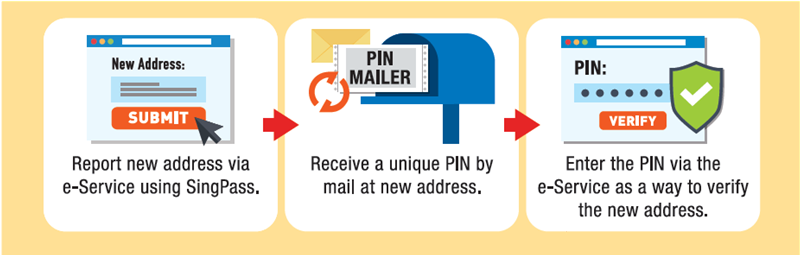
| 3. | Change of Residential Address | Singpass is required to change your residential address. To create a Singpass account, you may register here. If you encounter any issue in setting up your Singpass account, you may write in to Singpass feedback form. You are required to notify the Immigration & Checkpoints Authority (ICA) of Singapore within 14 days if your Singapore residential address has changed by self-updating in the Electronic Change of Residential Address (eCOA) portal. Please follow the steps below to update the new Singapore residential address via the eCOA portal:
|